Custom Apparel Guide · 12 min read
How to Digitize a Logo for Hat Embroidery
Key takeaways
- Digitizing is a stitch program, not an image. The file tells the machine where each needle drops, so file quality matters more than the artwork alone.
- Start from a clean vector file. AI, EPS, or SVG traces cleanest, and a 300 dpi or higher PNG works when vector is not available.
- Expect some simplification. Thread has a size floor, so thicken thin strokes to 1.5 to 2mm and cut extra colors before the file is digitized.
- Match density to the cap. Structured fronts hold about 0.4mm spacing while soft panels need less, plus pull compensation for the curve.
- Approve a sample before the run. A free proof and a physical sew out confirm the logo, and Arklavo digitizes in house with no setup fee.
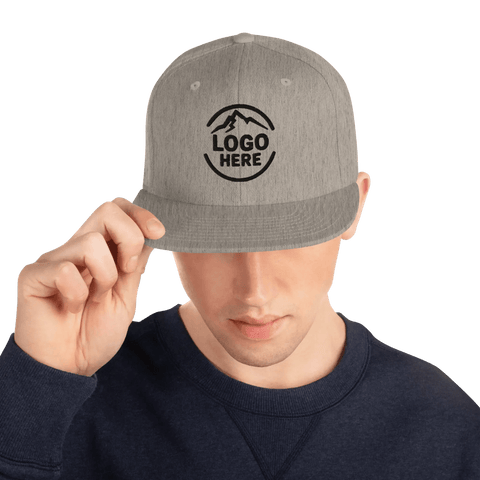
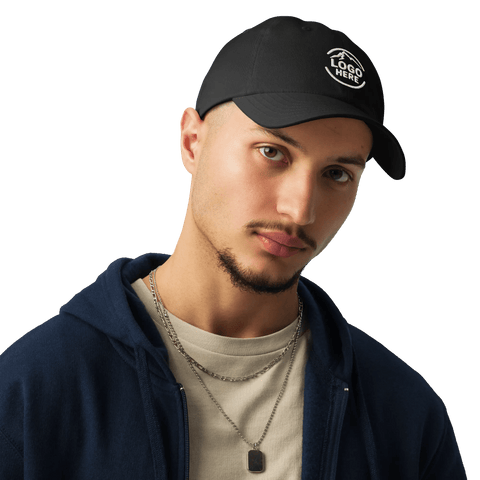
You have a logo, you want it on a hat, and someone has told you it needs to be "digitised" first. Arklavo digitises logos in-house as part of the order and sends a free digital proof before any stitching starts. That word stops a lot of people in their tracks. It sounds technical, and it is, but the concept behind it is straightforward: embroidery machines do not read image files the way a printer does. Once your file is ready, Arklavo's custom hats collection has the blanks in stock to stitch it on.
They need a separate set of instructions that tells them where to put each needle, in what direction, and in what order. That instruction file is called a digitised embroidery file, and producing it is the step between your artwork and finished stitching on a cap.
This guide covers how to digitize a logo for embroidery, specifically for the curved front panel of a hat, where the geometry creates challenges that flat garments do not. You will learn what file format to start with, how stitch types are assigned, why thread count matters, how placement on a cap front works, and how to decide whether to digitise the logo yourself or hand it to your supplier.
What this guide covers
- ✓ The right source file format for digitising: vector vs raster and why it matters.
- ✓ How digitising software converts artwork into stitch paths and stitch types.
- ✓ Stitch count targets for hat embroidery and how density affects the finished look.
- ✓ Placement on a curved cap front: centre, size, and hat-specific constraints.
- ✓ When to do the digitising yourself and when to let your supplier handle it.
- ✓ A quick-reference table: stitch types, best uses, and hat-specific notes.
What does it mean to digitize a logo for embroidery?
An embroidery machine is a needle-and-thread device driven by a coordinate file. It moves a frame holding your fabric across an X-Y grid and drops the needle at each point specified in that file. The file also tells it when to change thread colour, when to trim the thread, and how to angle each stitch. That file is called a DST, PES, or EMB file depending on the machine brand, and it can only be created by converting your artwork through a digitising process.
Digitising is the act of tracing your logo and assigning stitch parameters to every element of it: the colour blocking, the fill areas, the outlines, the text. The output is not a picture. It is a sewing program that happens to produce a picture in thread when the machine runs it. The quality of your embroidery depends almost entirely on the quality of that program, not on the quality of your source artwork, though good source artwork makes digitising significantly easier.
A digitised embroidery file is not a scaled image. It is a set of machine instructions, and a poorly digitised file will stitch poorly no matter how good the original artwork was.
What file format should you start with when preparing a logo for digitising?
The best source file for digitising is a vector file, most commonly an AI (Adobe Illustrator), EPS, or SVG. Vector files store your logo as mathematical paths rather than pixels, so they can be scaled to any size without losing edge clarity.
When a digitiser traces your logo paths to assign stitch directions and fill areas, clean vector paths make that tracing accurate and fast. A logo delivered as a clean AI or EPS file will typically produce a tighter, cleaner digitised result than the same logo supplied as a JPEG or PNG.
If you only have a raster file, a JPEG, PNG, or TIFF, you can still get a logo digitised, but the quality of the output depends on the resolution of the source image. A minimum of 300 dpi at the intended embroidery size is workable.
Anything lower than that and the digitiser is guessing where your edges are, which tends to show up as slightly fuzzy letter edges or uneven fill areas in the stitching. A high-resolution PNG at 600 dpi or above is preferable to a low-resolution JPEG every time.
One format to avoid: PDF files exported from software like Canva or Word are often rasterised under the surface even though they appear vector. Always ask your designer for the native AI or EPS source file rather than an exported PDF if vector is the goal.
How are stitch types assigned when digitising a logo?
Every element of a logo gets assigned a stitch type during digitising. The three main types are run stitches, satin stitches, and fill stitches (sometimes called tatami or step stitches). Each one looks and behaves differently, and choosing the wrong type for an element is one of the most common sources of quality problems in embroidered logos.
Run stitches are single lines of thread following a path. They are used for thin outlines, fine details, and letter strokes that are too narrow to fill. On a hat front, they are often used for fine borders around a larger fill area.
Satin stitches are parallel stitches that run across a shape, creating a smooth, shiny finish. They are ideal for text, narrow shapes, and any element where you want a high-sheen look. The limitation is width: satin stitches become unstable and start to look loose when the element is wider than about 12mm. On a hat front, most clean lettering up to that width uses satin.
Fill stitches use an offset grid pattern to cover large areas densely without the thread loops that would occur if satin stitches were stretched across a wide fill. Fill is the correct choice for any logo element wider than 12mm, and for solid blocks of colour in a crest, badge, or background shape.
| Stitch type | Best used for | Hat-specific note |
|---|---|---|
| Run stitch | Fine outlines, thin strokes, detail lines | Good for hairline borders around badge shapes |
| Satin stitch | Text, narrow shapes, up to approx. 12mm wide | Most brand-name lettering on a cap front uses satin |
| Fill (tatami) | Large solid areas, backgrounds, wide shapes | Used for crests, badges, and wide logo shapes on cap fronts |
| Underlay stitch | Foundation layer beneath fill and satin areas | Critical on hat fronts to stabilise fabric before top stitching |
How does stitch count affect an embroidered hat logo?
Stitch count is the total number of individual stitches in a digitised design. It affects three things: production time, thread consumption, and the weight and density of the finished embroidery. A typical small logo for a cap front, something in the 70 to 80mm wide range, will run between 5,000 and 12,000 stitches. A detailed crest or badge at the same size may reach 15,000 to 20,000.
Higher stitch counts are not automatically better. Over-density is a real problem on hat fronts. Too many stitches in a small area push against each other, causing the fabric to pucker, the cap front panel to distort, and fine lettering to become illegible as thread gaps close up. Under-density creates the opposite problem: fills look thin and you can see the base fabric through the top thread.
The standard density target for embroidery on structured cap fronts is around 0.4mm stitch spacing for fill areas and 0.3 to 0.4mm for satin text. These numbers are adjusted by the digitiser based on the fabric weight and the cap construction. A stiff buckram-backed structured cap can hold higher density than a soft unstructured panel. Your digitiser should know the cap style you are working with before setting these parameters.
Where does a logo sit on a curved cap front, and why does the curve matter?
The standard placement for a logo on a hat is centred on the front panel, with the bottom edge of the design sitting approximately 25 to 35mm above the brim. For a structured six-panel cap, the ideal design height is generally between 40mm and 65mm. Wider designs can extend to around 80mm across, but beyond that the curvature of the panel starts to distort how the logo reads when viewed from the front.
The curve is the key challenge hat embroidery presents that flat garments do not. When a cap is loaded into an embroidery machine, it sits on a cylindrical hat hoop rather than a flat frame.
The needle enters and exits the fabric at a slight angle relative to what would be a perfectly flat surface, and that angle increases toward the edges of the panel. The digitiser compensates for this by adjusting the stitch pull compensation, which accounts for the way thread tension under the fabric creates a slight inward pull on each stitch.
If pull compensation is not set correctly for the specific cap construction, the finished logo will look slightly smaller and more compressed than the digital preview suggested, because the thread tension has drawn the fill areas inward. A competent digitiser who has worked with hats before will account for this automatically. If you are reviewing a stitch-out sample and the logo looks noticeably tighter or more compressed than you expected, pull compensation is the likely cause and can be corrected before the full run.
| Cap type | Recommended design width | Recommended design height | Notes |
|---|---|---|---|
| Structured 6-panel | 60 to 80mm | 40 to 65mm | Buckram backing supports higher density |
| Unstructured (dad cap) | 55 to 70mm | 35 to 50mm | Soft front needs lower density to avoid puckering |
| Trucker (mesh back) | 60 to 75mm | 40 to 60mm | Front foam panel behaves similarly to structured |
| Snapback / flat-brim | 65 to 80mm | 45 to 65mm | Flat brim allows slightly more width without side distortion |
What changes when you adapt a logo for embroidery versus print?
Embroidery has physical limits that print does not. A thread is roughly 0.3mm thick, which sets a hard lower limit on how small a detail can be before it becomes illegible in stitching. Fine lines, thin serifs on fonts, tiny gradients, and anything below about 1.5mm wide in the final design will either stitch into a solid mass or disappear entirely. Logos designed for screens or print often include details at that scale, so some adaptation is almost always needed before digitising.
The most common adaptations are: thickening thin strokes to a minimum of 1.5 to 2mm, converting gradient fills to solid colour areas (embroidery cannot blend thread smoothly the way a printer blends ink), simplifying fine typography to a heavier weight version of the same font, and reducing the total number of colour changes to keep production time reasonable. Reducing colour changes is particularly relevant for hats: each thread colour change requires a stop, re-thread, and restart, which multiplies production time on multi-colour crests.
None of this means your logo needs to look fundamentally different on a hat. Most logos translate well once these technical adjustments are made. The key is doing this simplification before digitising, not after, so the digitised file is working from artwork that can actually be stitched at the target size.
Embroidery survives 100 or more wash cycles, compared to 40 to 60 washes for screen print on fabric. Getting the digitising right once means that durability advantage holds for the full life of the garment.
Should you digitize the logo yourself or let your supplier do it?
The honest answer for most businesses ordering embroidered hats is: let your supplier digitise. Professional digitising software costs $500 to $1,500 for a license, and developing proficiency with it takes considerable time. Unless you are a decorator yourself or you plan to order very large volumes across many logos, the skill cost outweighs the per-job savings.
Most professional embroidery studios, including Arklavo, digitise your logo as part of the order process at no extra setup fee. The file is stored on file against your account so you never pay for that work again on future reorders. The practical implication is that your digitised file is available any time you need replacement hats, staff additions, or a run on a different style, without repeating the artwork step.
The cases where doing your own digitising makes sense are: you have significant in-house embroidery production that justifies the software investment, you are a decorator or promotional-product supplier yourself, or you need to retain the DST file to run on your own machines independently of a supplier. In those cases, the main software options are Wilcom Hatch, Embrilliance, and Brother PE-Design, in roughly descending order of professional complexity.
If you are supplying your own DST or EMB file to Arklavo or any other studio, ask for a stitch-out sample on a test blank before the full run. A file that stitched correctly on one machine or one fabric may behave differently on another machine brand or a different cap weight, and the sample run is the cheapest way to catch that before committing a full order to production.
What I tell businesses getting their first hat logo digitised
The businesses that have the smoothest experience with hat embroidery are almost always the ones who send a clean vector file and then trust the process. The ones who have difficulty are the ones who send a low-resolution JPEG of a complex logo, expect an exact pixel-for-pixel match at 60mm wide, and skip the stitch-out sample step.
The physics of thread at small scales means that some simplification is always necessary, and a stitch-out sample is the cheapest insurance against discovering that on the delivery of 200 hats.
At Arklavo, every order includes a free digital proof before anything goes to the machines. That proof shows you how the design will sit on the cap, what size it will stitch at, and how the colour placement looks against the hat colour.
For first-time hat orders, I also recommend asking for the stitch-out sample specifically, because the proof is a visual approximation and the physical sample is the real confirmation. Around 97% of people say uniforms make staff easier to identify, and branded hats are part of that recognition. Getting the logo right before the full run is worth a small amount of extra lead time.
One thing I have seen many times: businesses come in with a logo that has five or six colour layers and hairline detail that has always looked fine in print. Embroidery at hat-front scale almost always means reducing that to two or three working colours and heavier strokes.
That adapted version often ends up looking cleaner and more recognisable at a glance than the over-complex original. The hat is not a business card: it is a distance-recognition tool, and simpler usually works better at three metres than detailed does at three centimetres.
For businesses ordering custom embroidered hats, Arklavo handles the digitising in-house with no setup fees and stores your file for all future reorders.
No minimum. No setup fees. Free proof before production.
Get your logo digitised and on a hat
Send us your artwork file and the hat style you have in mind. We handle the digitising in-house at no extra cost, send back a free digital proof for your approval, and ship once you sign off. No order minimum. Free shipping on orders over $150. No minimum, free shipping over $150.
Request a quoteSources
- Northwest Custom Apparel, "Embroidery vs Screen Printing for Uniforms": nwcustomapparel.net (wash-cycle durability data cited in callout box).
- Cintas, "Your Uniform's Branding Power: Turning Business Apparel into a Strategic Asset": cintas.com (uniform staff-identification statistic cited in founder section).
Keep reading: Shop custom embroidered hats · Screen print vs embroidery: which holds up on team apparel? · Types of beanies for business uniforms
Knit beanies need their own digitizing approach because the stitch sinks into the cuff; if a beanie is your garment, see our beanie styles.
See the full range before you read on
Every style, current price and decoration option in one place, so you can shortlist while the detail is fresh.
No minimum order
Compare styles and prices in one place
Every blank, weight and decoration option side by side, with current listed prices.
The value pick from this guide


No minimum order. Free digital proof before anything is made.
No minimum order. See your logo on the real product first.
Every price is listed. Free proof before anything is made.
Ordering for a team?
Get a quote for your whole team
You have seen the prices already, so a quote here is arithmetic, not a sales call. Send your quantities, sizes and product and we total the program from the same listed prices in this guide. No setup fees, no minimums.
Get a QuoteHow much does it cost to digitize a logo for embroidery?
Professional digitising services typically charge between $10 and $75 per design depending on complexity, the number of colours, and the level of detail in the logo. Many embroidery suppliers, including Arklavo, include digitising in the order at no extra setup fee. If you are digitising through a standalone service, expect a simple single-colour text logo to sit at the lower end and a detailed multi-colour crest to sit at the upper end of that range.
Can I use a PNG or JPEG to digitize a logo for hat embroidery?
Yes, but a vector file (AI, EPS, or SVG) produces better results. A high-resolution PNG at 300 dpi or above is workable. Low-resolution raster files force the digitiser to estimate where edges sit, which tends to result in slightly uneven outlines and fill areas. If you only have a JPEG, provide the highest-resolution version you have and let the digitiser advise on what is achievable at your target embroidery size.
What file format does an embroidery machine read?
The most common machine-readable embroidery file formats are DST (Tajima), PES (Brother), and EMB (Wilcom). Different machine brands use different native formats, but most professional machines can read DST as a near-universal interchange format. When ordering from a supplier, you do not need to know or supply this file: they will convert your artwork to the format their machines use. If you are supplying your own digitised file, ask the supplier which format their machines prefer before submitting.
How many colours can an embroidered hat logo use?
Most hat embroidery is done with 1 to 6 thread colours. Each additional colour adds a thread-change stop to the production run, which increases time per piece. Logos with 2 to 4 colours are the most production-efficient and tend to read most clearly at the typical hat-front embroidery size of 60 to 80mm. Logos with more than 6 colours are possible but add meaningful cost and complexity. Simplifying to a 2 to 3 colour version of your logo often improves clarity on a cap front rather than reducing it.
What is pull compensation in embroidery and why does it matter for hats?
Pull compensation is an adjustment built into the digitised file that accounts for the way thread tension causes fabric to pull inward during stitching. On a flat garment it is a minor factor. On a curved cap front, where the fabric is under tension from the hat hoop and the curvature of the panel, it becomes more significant. Without the correct pull compensation setting, logos on hats stitch smaller and more compressed than the digital preview suggests. A digitiser experienced with hat embroidery will set this correctly for the specific cap construction you are using.
Is there a minimum order for embroidered hats at Arklavo?
No. There is no minimum order at Arklavo. You can order a single embroidered hat or a run of 500 with the same logo and no setup fees either way. Your digitised file is stored after the first order, so future reorders for new staff or replacement hats match the originals without repeating the digitising step. Free shipping applies on orders over $150.
Why does my logo look different in embroidery than it does in the digital proof?
Digital proofs show a visual simulation of the stitching, but thread has physical properties that a screen cannot perfectly replicate. Thread sheen, the slight texture of fill stitches, and the compression effect of pull compensation all contribute to the finished embroidery looking slightly different from the digital preview. This is normal and expected. Requesting a physical stitch-out sample on the actual cap blank before approving the full run is the only way to see exactly how the logo will look in the finished product.
Does Arklavo keep my digitised embroidery file after the first order?
Yes. Once your logo has been digitised and approved for an Arklavo order, the file is stored on your account. Future reorders, whether for a different hat style, additional quantities, or replacement pieces, use the same file without any re-digitising cost or artwork step. This includes orders placed months or years after the first run, as long as the logo itself has not changed.
What is actually inside a digitised embroidery file?
A coordinate file, not a picture. The machine moves a frame holding your fabric across an X-Y grid and drops the needle at each point specified in that file. The same file tells it when to change thread colour, when to trim the thread, and how to angle each stitch. It is a sewing program that happens to produce a picture in thread when the machine runs it.
Which parts of a logo does the digitiser have to decide on?
Every element of it: the colour blocking, the fill areas, the outlines, and the text each get a stitch type and stitch parameters assigned. On a hat those decisions are harder than on a flat garment, because the curved front panel creates geometry that flat garments do not.
Every price is on the page. No form first.
No minimums, no setup fees, free proof.
Get a free quote
Priced from the listed prices on this page
Request sent
Keep browsing while you waitThat did not send
Something blocked the request on our side. Send it through the quote page and we will pick it up there.
Open the quote page